How to fake a phone call in a movie
Three ways to do it, when each one wins, and the small things that ruin a take.
There are three ways to fake a phone call on camera. Use a prop phone app when the screen is in the shot. Use a real phone with someone calling it when the screen is never seen. Replace the screen in post only when what's on it might change after the shoot.
| Method | Best when | Watch out for |
|---|---|---|
| Prop phone app | The screen is in shot and has to look right on the day | The ring landing on dialogue, flicker, glare |
| Real phone, someone calls it | The screen is never readable | Timing a real call, and a real name or number showing |
| Replace the screen in post | The screen content isn't final yet | Cost, and tracking a moving hand |
The ring and your sound mixer
Your actor needs to hear a ring to react on time. Your sound mixer wants clean dialogue. A sound that falls between lines can be cut out later, but a sound that lands on a line is stuck there. Agree on one of these before the first take:
- Ring on set, off the lines. Let it ring, have the actor answer, and keep every word clear of the ring. Then shoot one take without the ring as a safety.
- No ring on set. The actor answers on a cue, and the ring goes in during the edit. Clean sound, but a less natural reaction.
If the ring goes in during the edit, use a sound from an effects library. Apple's built-in ringtones are copyrighted, and sound mixers report they're very hard to license.
Understudy always plays its ring, even with the silent switch on, so nobody has to remember the switch. For a no-ring take, turn the phone's volume all the way down, and test it before you roll.
The voice on the other end
The caller's lines shouldn't land on your actor's microphone.
- An earpiece. On the TV series Matlock, the director read the caller's lines from video village into a hidden earpiece the actor wore. The actor gets real timing, and the set mic records only one voice.
- A reader in another room. If you have no earpiece, keep the reader out of the room or keep their lines from overlapping the actor's. Record the caller's lines cleanly afterwards.
The classic “phone voice” filter cuts everything below about 300 Hz and above about 3.4 kHz, the range of an old landline. Modern mobile calls carry up to about 7 kHz, so a call on a smartphone can sound fuller than that, and a video call barely filtered at all.
What goes wrong on set
A real call or notification breaks in
Put the prop phone in airplane mode with Wi-Fi off, and turn on a Focus that silences everything. Check the Clock app too: an alarm set on that phone can still go off. A prop app works with no signal at all, so this costs you nothing.
The screen is too bright, or changes color
Set the brightness by eye on the monitor, not on the phone, then stop it from drifting. Auto-Brightness lives in Settings, Accessibility, Display & Text Size, not where most people look. True Tone and Night Shift both change the screen's color on their own, so the phone can look different between setups. Turn both off.
Rolling bands or flicker
iPhone screens dim by flickering very fast. Notebookcheck measured recent iPhone Pro screens at about 240 times a second, and it shows up most at low brightness. Whether you see bands depends on your camera, shutter, and the phone, so test the exact combination before the day. If you see bands, turn the phone brighter first. Then try small shutter changes while you watch the monitor. For screens, 1/50 or 1/100 in 50 Hz countries and 1/60 or 1/120 in 60 Hz countries is the usual place to start.
Glare on the glass
A polarizing filter often doesn't help, because phone screens are already polarized and the result can look wrong. Put black fabric wherever the reflection lands, keep lights big and soft, and angle the phone away from the key light and the lens.
The clock jumps between takes
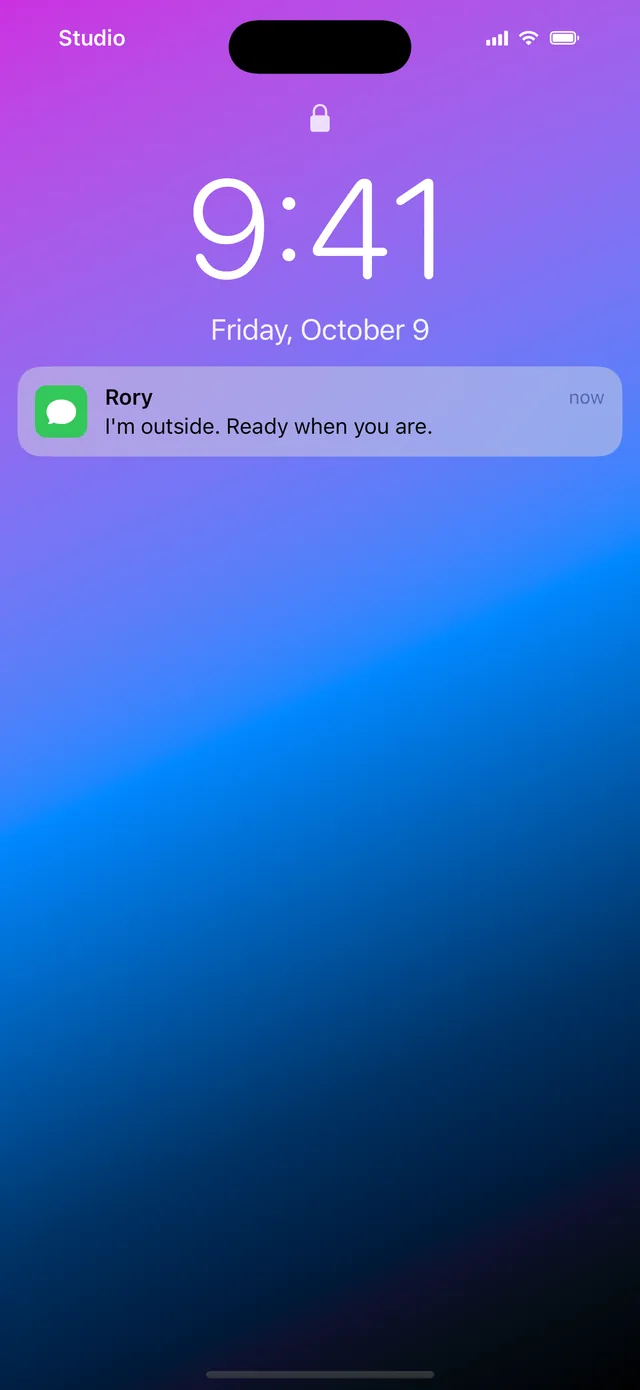
A lock screen that says 2:47 in one take and 3:15 in the next is easy to miss on set and hard to fix later. Freeze the clock at one time and leave it there for the whole scene.
The gap between the cue and the ring
Understudy rings about a third of a second after you tap, from the prop phone itself, so whoever holds it fires it: a props person just before handing it in, or the crew before action so it's already ringing when the scene starts.
Answering on camera
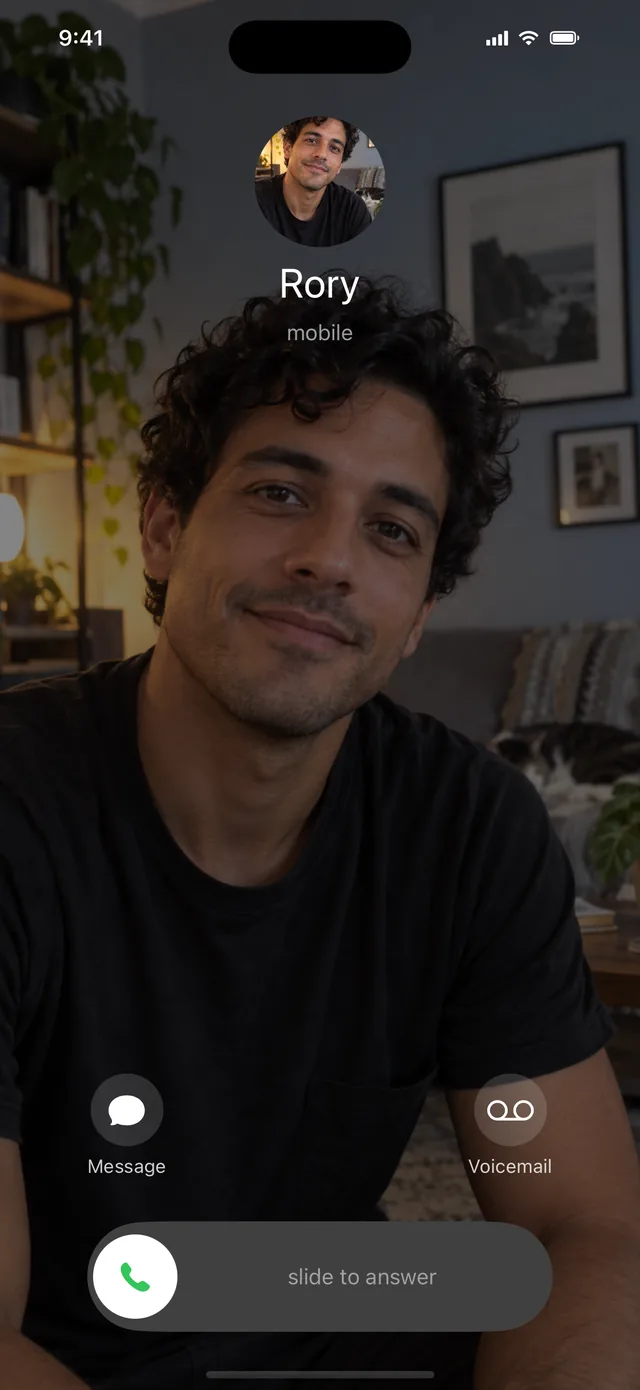
On a real iPhone, a locked phone answers with a slide and an unlocked one with a tap. iPhone users in your audience will notice the wrong gesture. Understudy's call screen uses slide to answer, so rehearse the slide.
- Pick the hand and the ear in rehearsal, and write it in the continuity notes.
- If the screen has to be read, shoot an insert: a separate close-up of the phone, tilted toward the lens.
- Hold the insert long enough to read. Netflix's subtitle rules assume viewers read about 20 characters a second, so a caller name needs about a second, plus a beat to notice it.
Names and numbers on screen
Show a contact name instead of a number when you can. If a number has to appear, use 555-0100 to 555-0199 with an area code, like (213) 555-0142. That range is reserved for fiction in the US and Canada. Most other 555 numbers can now belong to real people, and 555 isn't reserved in toll-free codes like 800 or 888.
It matters. After Bruce Almighty showed a real number as God's, the people who owned it were flooded with calls, and the home video changed it to 555-0123. Shooting outside North America? The UK, Australia, Ireland, and France have their own fiction ranges, listed on that same page.
Set the carrier name in the status bar to something made up too. A real carrier is a real brand on screen.
On-set checklist
Screenshot this or print it.
- Airplane mode on, Wi-Fi off, a silencing Focus, and no alarms set.
- Ring agreed with the sound mixer: on set off the lines, or added in post.
- Caller's lines fed by earpiece or read from another room.
- Brightness set on the monitor. Auto-Brightness, True Tone, and Night Shift off.
- Flicker tested with this camera, this shutter, and this phone.
- Clock frozen so it matches every take.
- Name, number, and carrier made up. Numbers in 555-0100 to 555-0199.
- Answer gesture and hand rehearsed, and noted for continuity.